Beyond engineering: Visualizing CAD models
Beyond engineering: Visualizing CAD models
Many 3D models rarely make it out of the engineering department, even though they could provide immense value for marketing and sales. 3D visualizations and animations bridge the gap between technical complexity and genuine understanding.
In many medium-sized companies, the relationship between the engineering and marketing departments is often strained. While engineers are busy working through a mountain of tasks, marketing and sales teams often wish for more support—specifically in the form of content like images or videos that they could use for client presentations, trade shows, campaigns, or any other type of presentation.
The truth is, 3D models hold hidden potential. They are their own best showcase. All the features that a salesperson highlights during a client presentation can be visualized in a way that is easy to understand.

SMEs often advertise high-tech features that set them apart from the competition. These features are usually highly innovative, but they are often so complex that they are difficult to explain to end customers. This frequently leads to multiple meetings and unnecessarily long sales cycles to convince the customer of the product and its quality.
You can have the best product in the world, but if no one understands it, it doesn't help anyone.
As a result, companies try to present their products using various approaches: data sheets, PDF brochures, PowerPoint presentations, AI-generated images, and so on. The marketing department struggles with these different methods, yet the most promising approach is the product itself. Why try to describe features when you can simply show them?
In an age where you have to fight for attention, you need to get to the point in seconds. This is hard to achieve with a lot of text and very little visual content.
The free 3D software Blender can turn any 3D model into a highly professional presentation:
1. Export the desired product from your CAD software as a .step file
2. Import it into Blender
3. Check materials, textures, and hierarchy
4. Set up lighting and animation
5. Create an infinite number of renderings and videos
Okay, it’s not quite that simple, as you do need to master Blender first. However, you don't need to master the entire program to create simple visualizations. With a little practice, you can build a "setup file" that acts as a kind of photo studio. This allows you to swap out products while keeping the background, lighting, and other settings consistent, ensuring a uniform media presence.
Blender is extremely versatile and is becoming increasingly important to the industry every year. Automotive giants like the Volkswagen Group[1]use Blender for development. Netflix does the same[2]or Westwing[3].
When you first open Blender, it can feel overwhelming. The sheer number of functions and windows can be intimidating. However, once you spend a little time with the program, the many options suddenly start to feel completely intuitive.
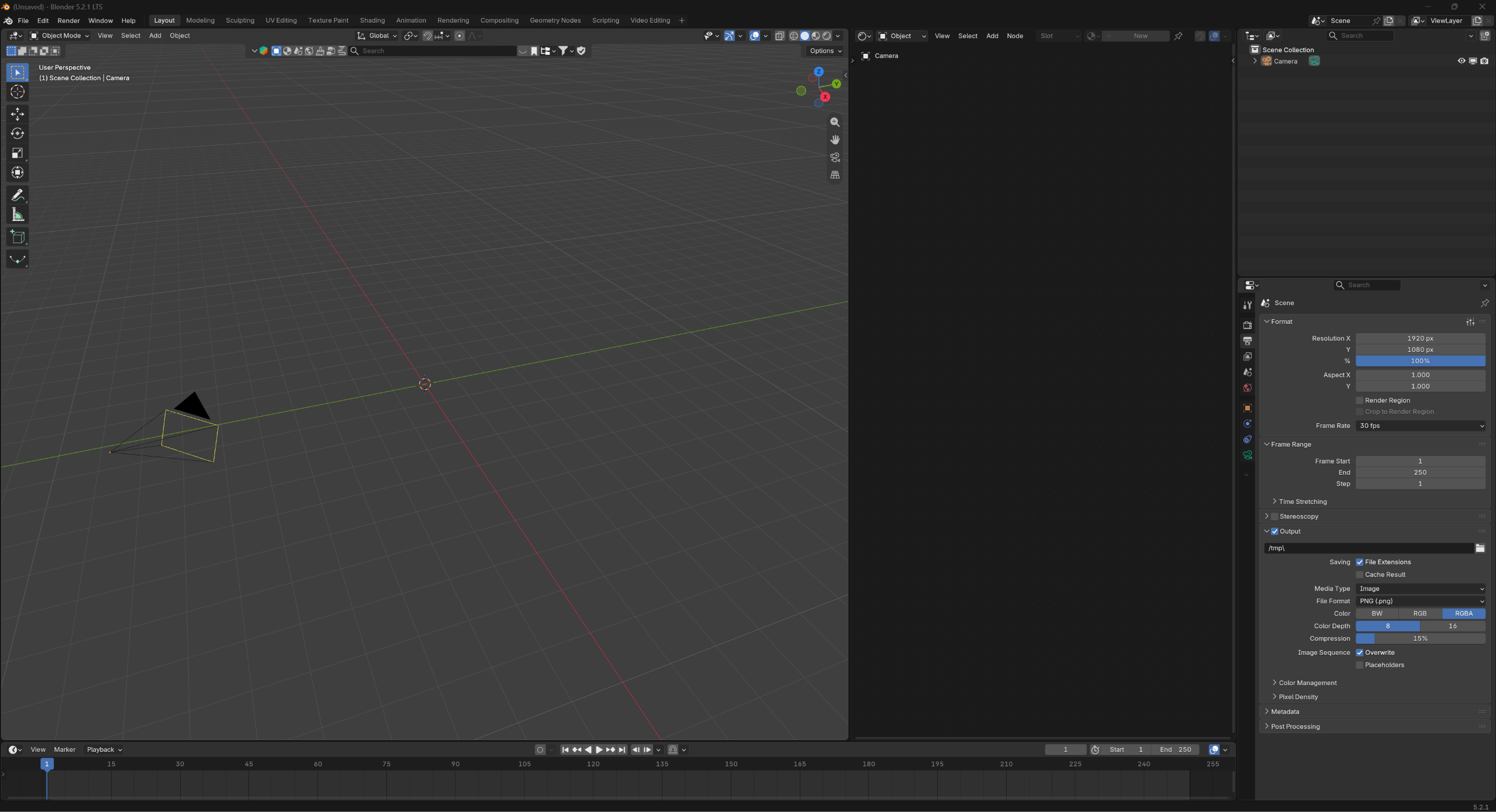
Blender thrives on its open-source spirit and its community. As a result, you can find countless tutorials on YouTube that guide you through the process. Perhaps the most well-known tutor is Blender Guru, who became famous for his donut tutorial[4]. In his series, he takes you by the hand, and you can start with no prior knowledge. By "building" a donut, you learn the most important functions step by step.

Fun fact: The donut has become a kind of running gag in the Blender community and is a household term for practically everyone in the bubble. Even many of the most well-known and talented 3D artists started their journey with their own donut.
Engineers will have an easier time in Blender because they are already accustomed to 3D environments. But marketing staff can also learn the program with a bit of time and interest. Once you have created your first donut, your basic knowledge is usually sufficient to create your first product and exploded-view renderings.

AI is also accelerating the creation process enormously. It can be integrated directly into the program to handle tasks. Even though I recommend mastering the basics yourself first, AI can help you when you get stuck. Codex or Claude can be connected to an open Blender file via MCP. There are even videos circulating on X where users achieve respectable results with absolutely no prior Blender knowledge.
Ultimately, it is about the skills that provide the most value. If a product is very complex, for example, you could use an exploded view to visualize the different layers and their functions. If movement is crucial, you could score points with a short 3D animation. The things that take up the most time when explaining your product should be addressed first. You should also consult the sales team for this. A salesperson knows best from their customer conversations which features are not understood well or quickly enough.
Integrating Blender can provide industrial companies with both relief and added value. New products and the launch of new features can be visualized in no time. Patented solutions can be marketed successfully. The bottleneck is cleared, and concepts can be visualized before production even begins.
The bridge between engineering and marketing & sales could be strengthened. However, it is also clear that this time investment must be considered individually for every company. Often, external service providers are the better choice, especially if the need is not constant.
Ask yourself questions like: How much time do we spend on the same explanation over and over? And does the person I'm talking to really understand me, or are they just nodding politely? Do potential customers stop at our booth at trade fairs because they find the product interesting right away, or do they keep walking because it’s unclear what sets us apart from the 2,000 other exhibitors?
The fact is that a high-quality product deserves a high-quality presentation. Products that require explanation have the right to be understood and seen. The engineering team deserves the credit for visualizing the added value of the many features they have developed. And marketing and sales should have enough material to do their jobs successfully.
[1]Blender at Volkswagen Group https://youtu.be/_80MwJXli2k?si=NSao6TSCZYI3926z
[2] https://www.animationmagazine.net/de/2026/01/Netflix-Animation-Studios-tritt-dem-Blender-Entwicklungsfonds-als-Unternehmensf%C3%B6rderer-bei./
[3]https://www.instagram.com/p/DAFqgEYsIhy/?utm_source=ig_web_copy_link&mdxt=NTc4MTIwNjQ2YQ==
[4] https://youtu.be/-tbSCMbJA6o?si=j1OS0za23mpQGkMj


Contact
or directly via e-mail to: office@immersive-animation.com
